Multi-provider records
Stop rebuilding the same equipment history.
Your SCBA vendor, compressor contractor, air lab, hose tester and ladder inspector each hold part of the record. FD Maintain gives your department one picture across all of them, with every record still attributed to the company that produced it.
- Current
- Due soon
- Overdue
- Deficient
- No evidence

We know the breathing-air business.
Departments rarely have one service company. We build for the way the work is actually split.
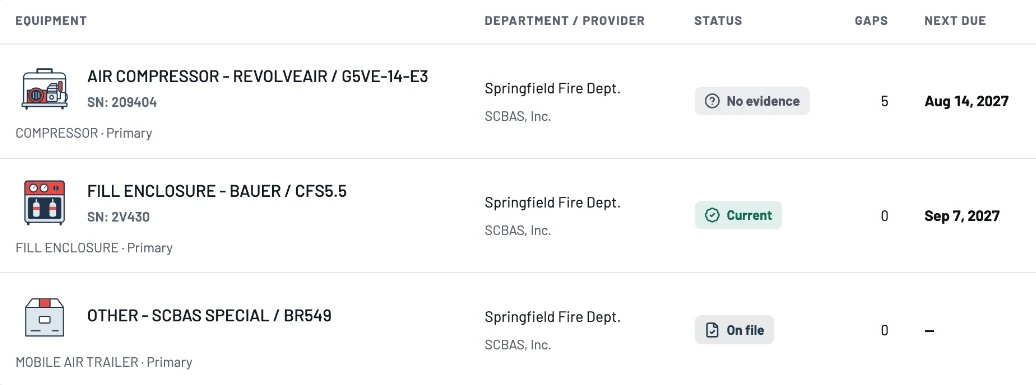
One record for each piece of equipment
Every provider’s work, on the right equipment.
Your department owns the oversight picture. Each authorized provider contributes evidence to the right equipment and requirement, without replacing another provider’s record.
Today · one inbox per vendor
- SCBA vendor
- Compressor contractor
- Air lab
- Hose tester
- Ladder inspector
- Your own records
With FD Maintain
- Providers share completed work
Through an accepted sharing relationship, not a manual upload.
- Records land on the right equipment
Suggested matches by serial, manufacturer and type are reviewed by a person, never merged automatically.
- Each record keeps its source
Provider, technician, date and original file stay attached.
- One department view
Every provider’s work, your own records and the gaps between them.
One department. Multiple providers.
The people who service your equipment keep your records current.
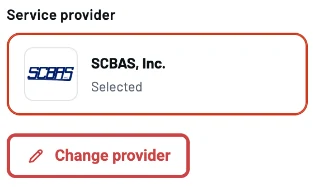
Invite your SCBA, compressor, hose, ladder and extinguisher providers from your provider list. They record inspections, tests and repairs in FD Maintain as part of their normal workflow, and the evidence appears on your dashboard. See who serviced what, when, and what they found.
- No double entry: shared work flows straight into your readiness view.
- Each provider’s specialties and last service date at a glance.
- Evidence corrections go back to the provider who shared the record.
- Provider not on FD Maintain yet? Upload their certificates and keep going.
- 1Your provider completes the work
Inspections, tests, repairs and lab certificates recorded in FD Maintain.
- 2Your readiness updates
The requirement the work satisfies turns current on your dashboard.

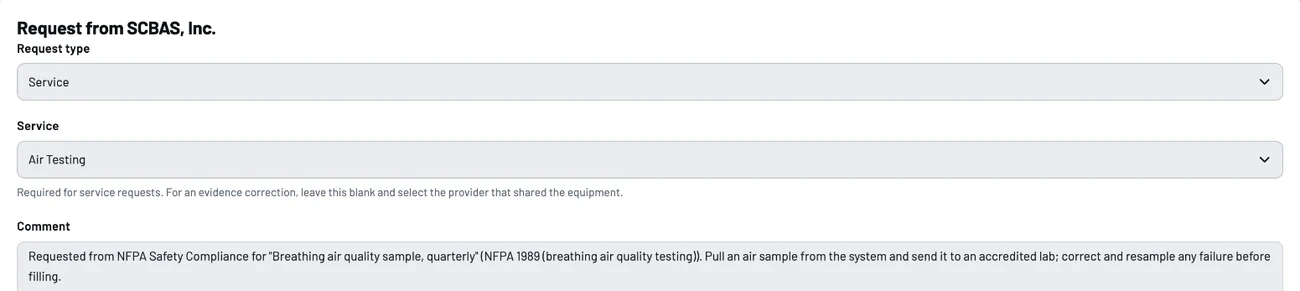
- 3You request the next service
When something is due or missing, request it with the provider, equipment and service identified.
When contracts change
Your department keeps its memory when a vendor changes.
Older results stay attributed to the provider who produced them; the new provider’s work is added beside them, never written over them. Revoking a provider’s access does not erase history your department is entitled to keep.
- Export your permitted records, files and history in standard formats.
- No hidden sharing between providers.
Good questions
A few things worth knowing.
Do all of our providers have to use FD Maintain?
No. Providers on FD Maintain share their completed work directly. For anyone else, upload their reports and certificates or import past records, and each item stays labeled by its source.
Can one provider see another provider’s records?
No. Each provider sees its own work and the requests sent to it. There is no hidden provider-to-provider sharing.
What if two records for the same unit disagree?
Both stay visible, each with its source, and the conflict is flagged for review. A failure from any source counts until passing proof is recorded.
Let’s make the work easier
Give your chief one readiness view across providers.
Bring a list of your equipment and the companies that service it. We’ll show you how their records come together, and where the gaps are.