Identify the asset
Keep the equipment identity and its existing tag relationship intact.
Optional module · NFPA Safety Compliance
Bring relevant standards references together with equipment identity, completed service and shared documents. Reuse the existing NFPA Scans experience while giving authorized AHJ users a scoped view of equipment evidence.
A separate module from Compliance Engine. No NFPA endorsement or certification is implied.
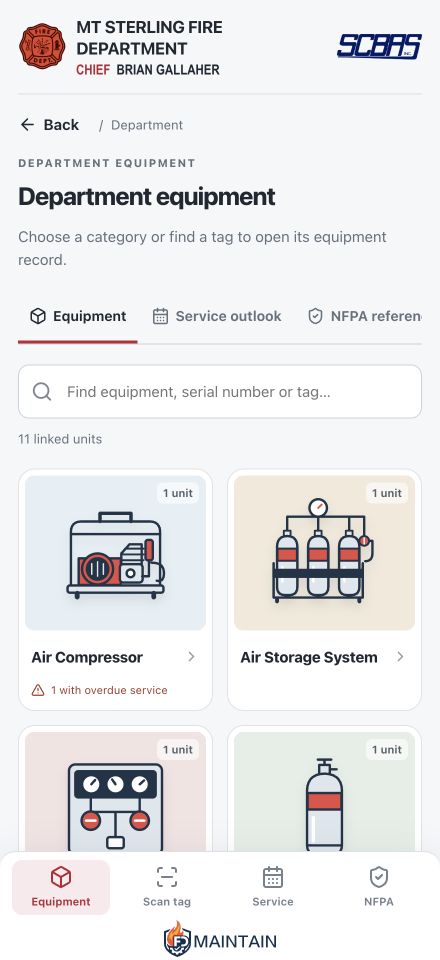
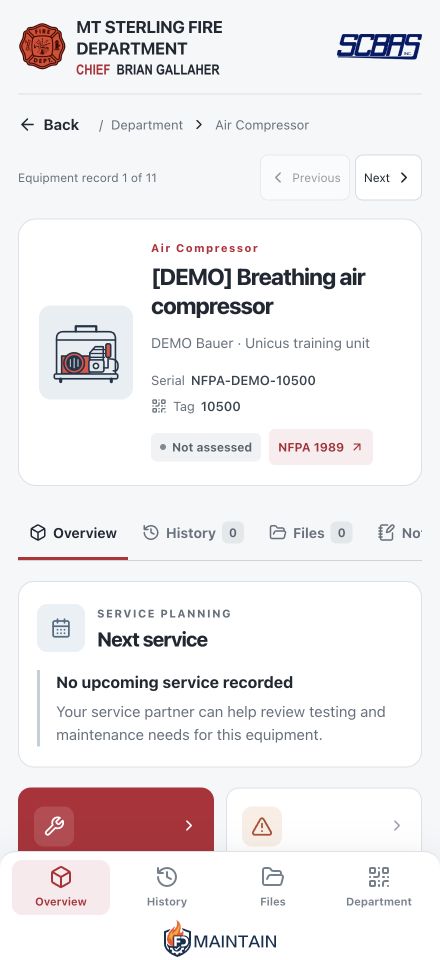
Build on the record you already maintain
An accepted sharing relationship identifies the source customer, provider and department. Authorized users read the equipment evidence that relationship permits, with history and documents controlled separately.
Keep the equipment identity and its existing tag relationship intact.
See completed service and documents expressly shared from the source workspace.
Review the references attached to the equipment alongside its recorded requirements.
At the equipment
Existing QR tags open the customer-visible NFPA Scans experience: equipment details, published documents, recorded service and ways to report a concern or request help.
Standards inform the work
References help people find the relevant standard and recorded service requirement. They do not automatically adopt an edition, set an inspection interval or certify a piece of equipment.
Good questions
No. NFPA Safety Compliance is the module name for the equipment-evidence experience that reuses existing NFPA Scans records and tags. Existing authorized QR links remain useful.
It is a separate optional module. An organization may request either module or both; enabling one does not automatically enable the other.
No. Access requires an active module and an approved, scoped sharing relationship. Source eligibility and the allowed history/document scope are checked when records are read.
No endorsement is claimed. References are informational and do not constitute NFPA certification, a complete code library or a professional compliance determination.
Create your account, confirm your email and request the modules that fit your role. Your request is reviewed before workspace access is granted. Signing up does not unlock an existing department, customer, provider or property record.
Let’s make the work easier
Request NFPA Safety Compliance and review the sharing relationships your organization needs.